My Framer beefs 2026.

Greg Lewis
Designer | Co Founder

It’s that time of year again. Framer is still the tool I build every client site in, and it’s had another big year, especially with AI. But love doesn’t mean blind. This is my third annual list of the things that still slow me down, with the fixes I’d like to see. If you missed them, here are my 2024 and 2025 beefs.
The good news is that this list gets shorter and more niche every year, which tells me Framer is listening. I know Jorn van Dijk, Framer’s co-founder, reads these posts and shares them with the team, so here’s hoping a few more of these disappear by next year.
What’s been sorted since last year
Credit where it’s due. Pricing, my biggest moan last year, has settled down and everyone seems to have made their peace with it. Collection filtering is now handled natively, so I no longer have to build fiddly component logic just to let visitors sort a blog or a list of projects. Thank you, Framer.
The biggest change this year is AI agents. Framer’s own agent can now build and edit pages, set up styles and handle the repetitive jobs that used to eat an afternoon. And with Framer’s MCP, I can work on a site from AI tools like Claude, outside of Framer altogether, pulling in content, updating CMS items and making changes across pages in one go. For a two-person studio it’s been a huge productivity win, and it’s taken the sting out of a few of the beefs below.
Now for the rest.
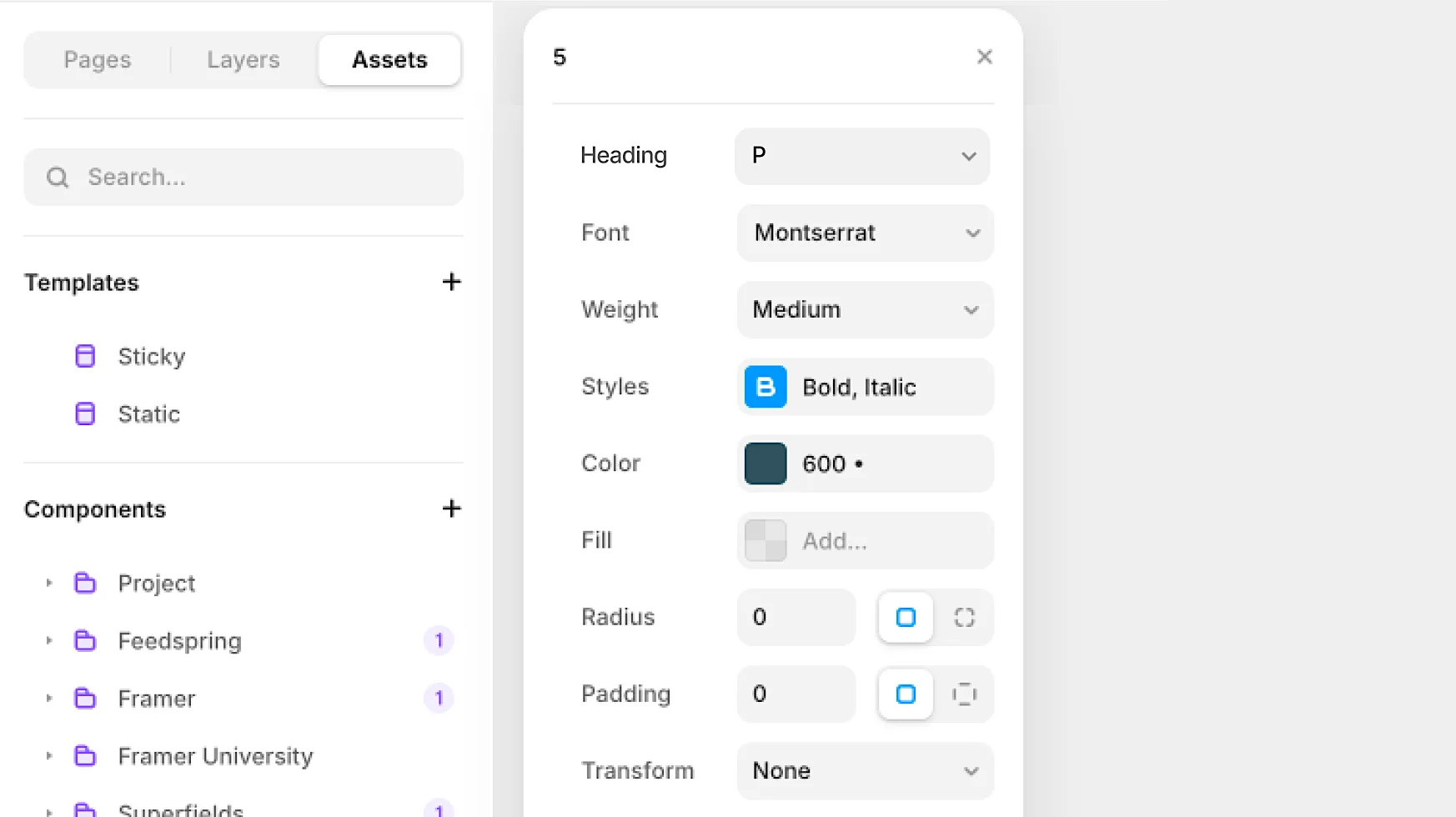
Text styles
Still a hassle, though there’s progress. Duplicating a text style now brings its breakpoint font sizes with it, which is a welcome fix. But you still can’t switch a style’s type, say from H1 to H2, once it’s made. On a big site with five breakpoints, that’s a lot of clicking.
The one bright spot is AI. You can now ask Framer’s AI to set up your text styles for you, which lets you loophole your way through the job much faster. It’s a clever workaround, but it’s still a workaround.
What I’d still like to see:
The option to change a style’s heading type.
Built-in type scaling per breakpoint, with fixed and REM options, so I don’t need tools like Utopia to work out the sizes.
Media management in the CMS
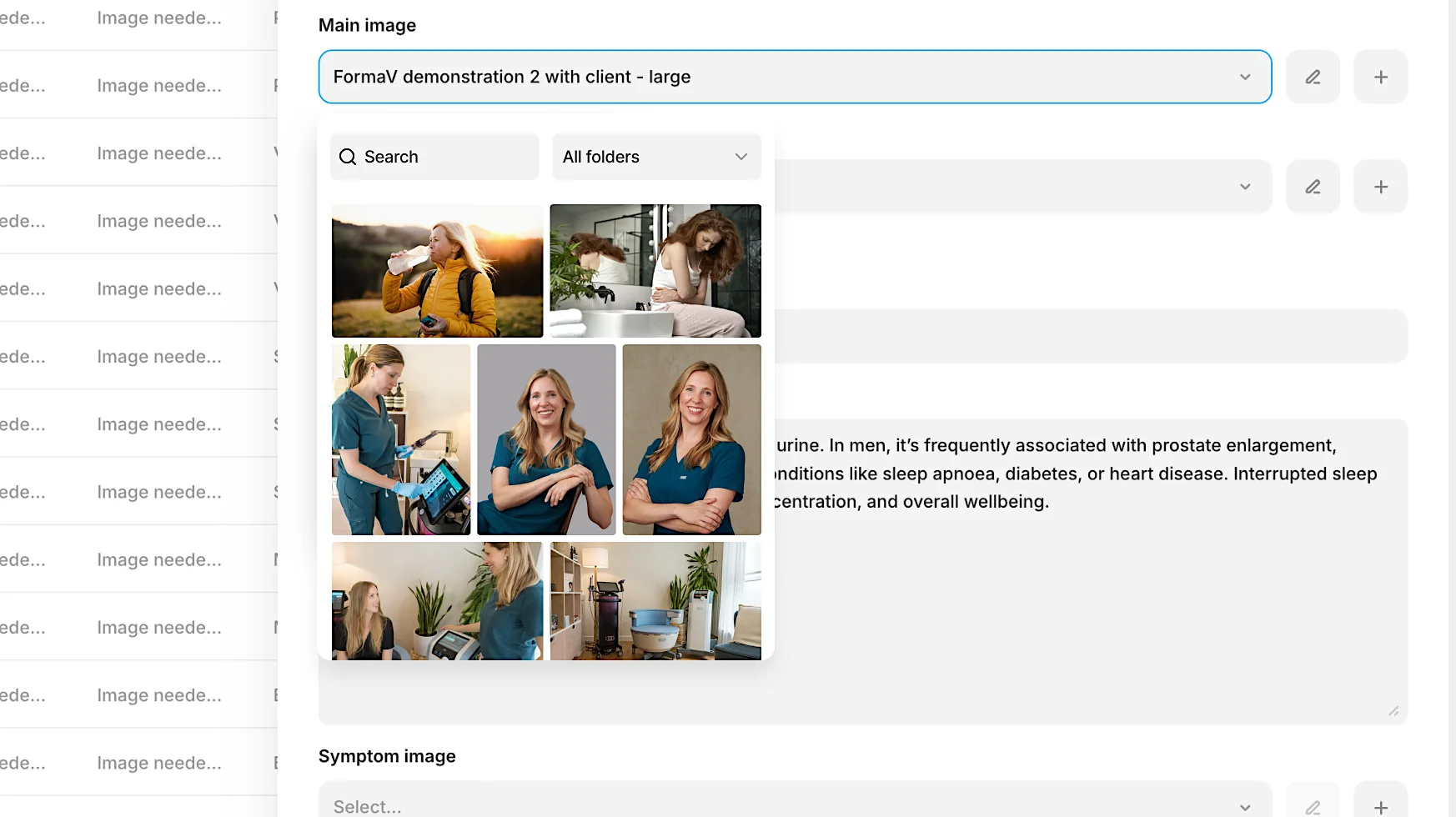
No change here, so I’m flagging it again. Every time you want to use an image, you upload it again. Reference lists from collections are text only, so picking the right image means guessing from a file name. For clients who manage their own content, it’s confusing.
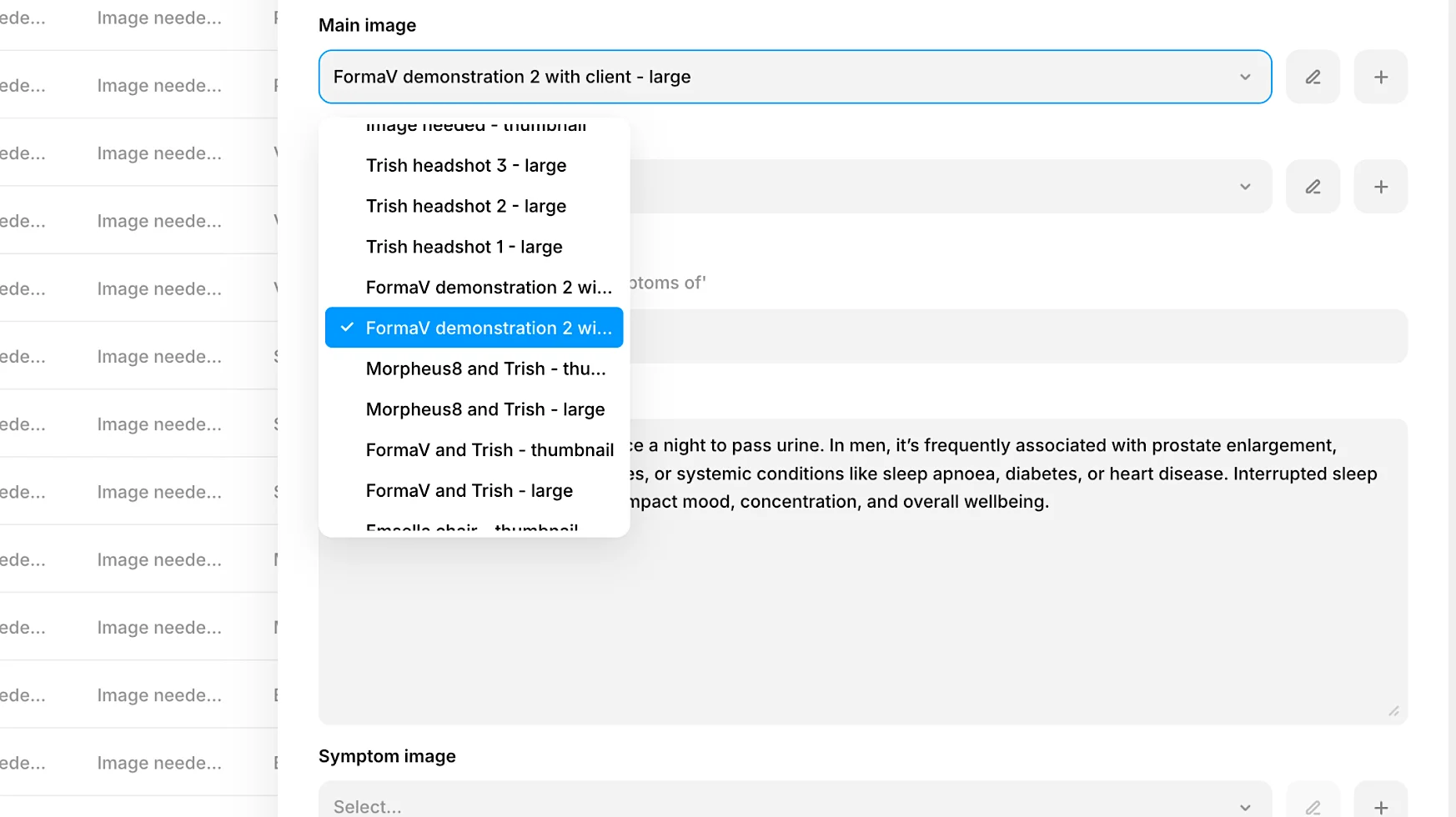
A proper media library would fix it: folders, renaming, alt text set once, search, and visual thumbnails when you reference an image, including inside the rich text editor.
Images in the rich text editor
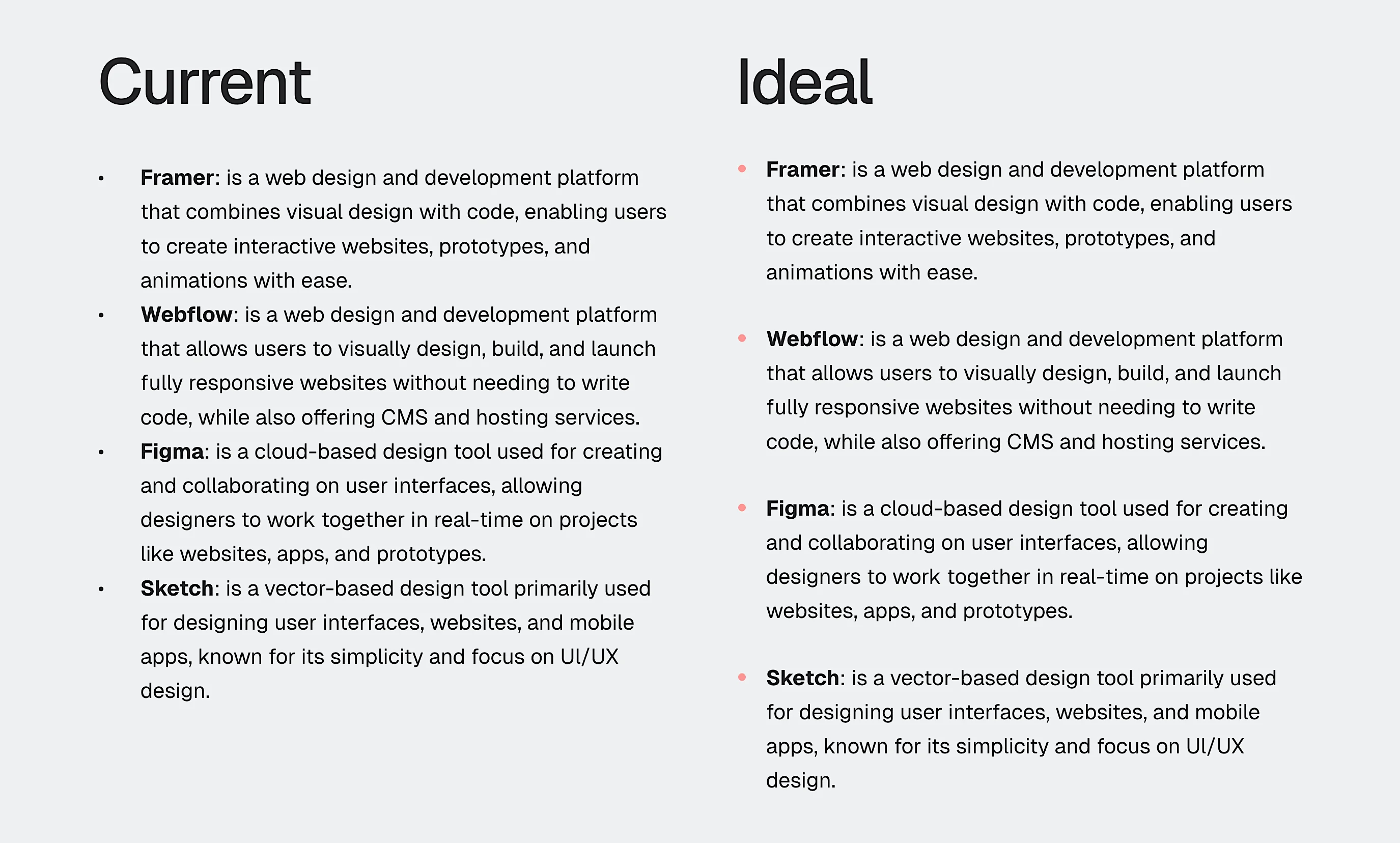
Add an image natively to a CMS rich text field and it still doesn’t resize the way it should. Full-width images don’t fill the space. If you size them to fit the full width, they often fill only three-quarters of the space and there’s no control over padding or alignment.
There is a workaround now. You can drop components into the rich text editor, so I build a simple image component and use that to force images to sit full width. It works, but it shouldn’t need a custom component to make an image behave.
Below is the same image at the same dimensions, one added directly to the content composer and the other added via the component workaround. Only the component based image fills the space correctly.


The new and “improved” asset panel
I personally feel this is a step back. I liked having my assets sectioned, it was easy to find. Styles was at the bottom, it contained all style types. Templates, Vectors and Components, all neatly in their own places. Now there is nothing to define where things lay. All folders look the same so there is no visual cue to let you know you’re in the right place. It might look tidier and gives users autonomy but it has increased cognitive load which is not a win in my book.

Liquid glass
It’s not like Framer to be slow to jump on a design trend. I imagine cross-browser support is what’s been holding them back. In the meantime, I’ve built my own liquid glass component that works across browsers and looks lovely. Ideally, though, it would be supported natively in Framer.
Bullet and numbered lists
Still no way to style lists properly. You can’t control the inset or the spacing between items, so designers end up building lists out of stacks, which is bad for accessibility. I’d like spacing and inset controls, list buttons in the properties panel, numbered lists that can start from any number, and the option to colour bullets separately from the text.
Download button
Files downloaded from a Framer site still get renamed to a random string of characters. If you’re downloading a menu or a brochure from a business you don’t know, a file called something like a3f9x2.pdf doesn’t fill you with confidence. Keep the original file name, please. In the meantime, the free Filename Download component does the job, but we’d much rather this was handled natively in Framer.
Password protection
You can protect a whole site with one password, but protecting a single page or section still means reaching for a plugin. Client portals, private case studies and draft pages all need this. I know it’s not simple to build, but it’s one of the most requested features out there.
Still missing
Shadow styles. Multi-layer shadows have to be copied and pasted between elements by hand. Reusable shadow styles, like colour and text styles, would save a lot of time and keep things consistent.
Tokens. This is the one I’d most like to see. A token-based style manager would make proper design systems possible in Framer, with spacing, radius, colour and type all controlled from one place. Framer has introduced a Design System skill for its AI agent, but that’s not a design system. It helps the agent follow the styles a site already has when building new pages. It doesn’t give you tokens to manage. Take it a step further and imagine a shared token library across several sites. A brand with a handful of websites, or an agency like us looking after a suite of client sites, could change a colour or a font once and push it everywhere. That would be huge.
PDF viewer. There’s still no native way to open a PDF in the browser rather than downloading it. To be fair, there are some very good free options in the marketplace that do the job well. I use PDF View, which is free and works nicely. But it feels like something that should be built in.
What have I missed?
This list is a work in progress and I’m sure I’ll add to it before the year is out. If you build in Framer and have your own beefs, send them my way.